The visual field notebook
Melvor Idle 2 gameplay screenshots
Real game interfaces from the official Steam media gallery, with a guide to what each screen actually shows. These are not generated illustrations.
Official Steam media · Alpha v0.1.2
Mining: identify the resource, not just the reward
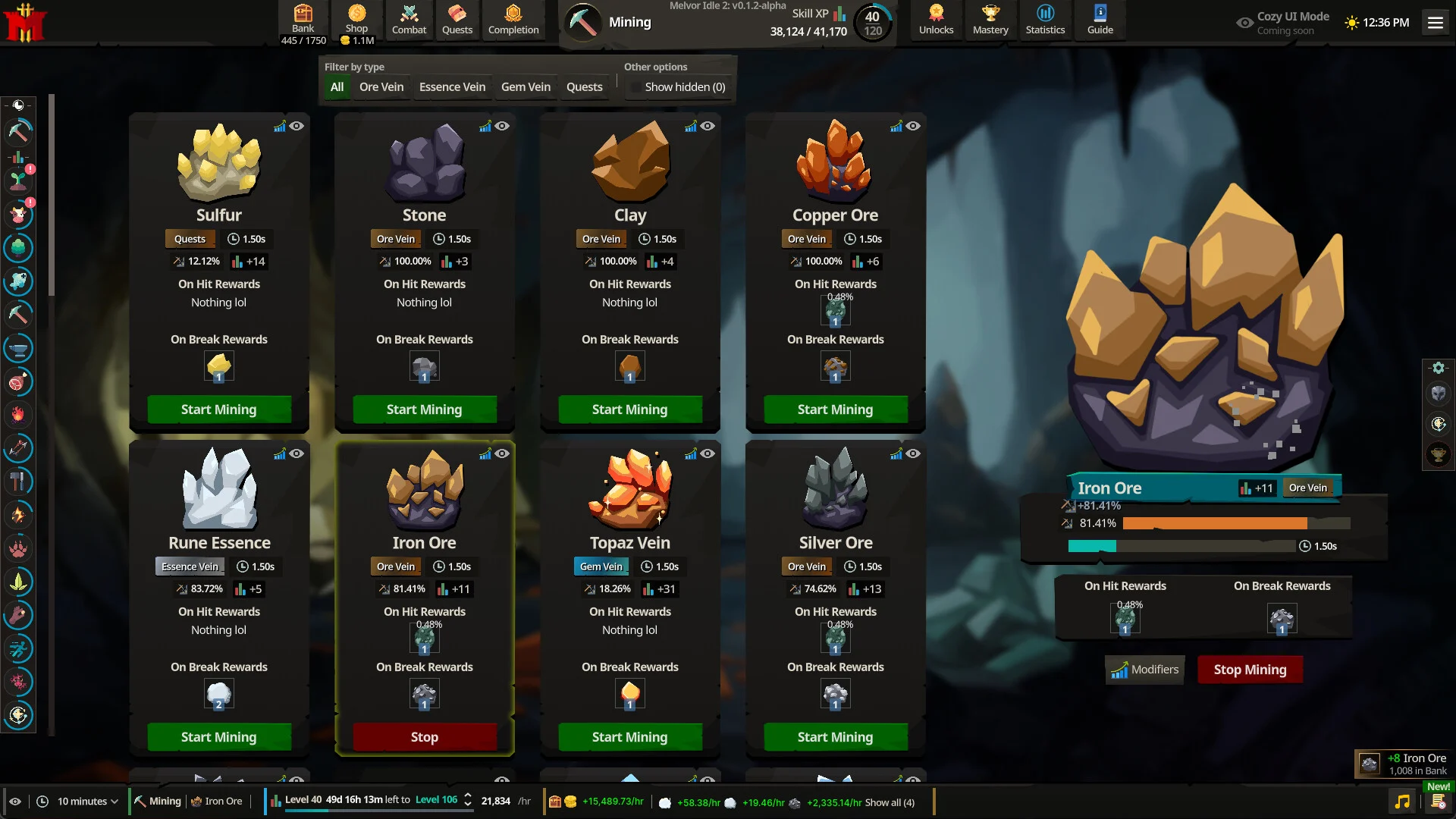

The resource list is on the left; Iron Ore is selected in the main action panel. Copper Ore sits under Ore Vein, while Rune Essence has its own Essence Vein category. The notification shows a reward from this particular session, not a guaranteed base yield.
Browse the resource entries →Official Steam media · Alpha v0.1.2
Fletching: ingredients and equip requirements
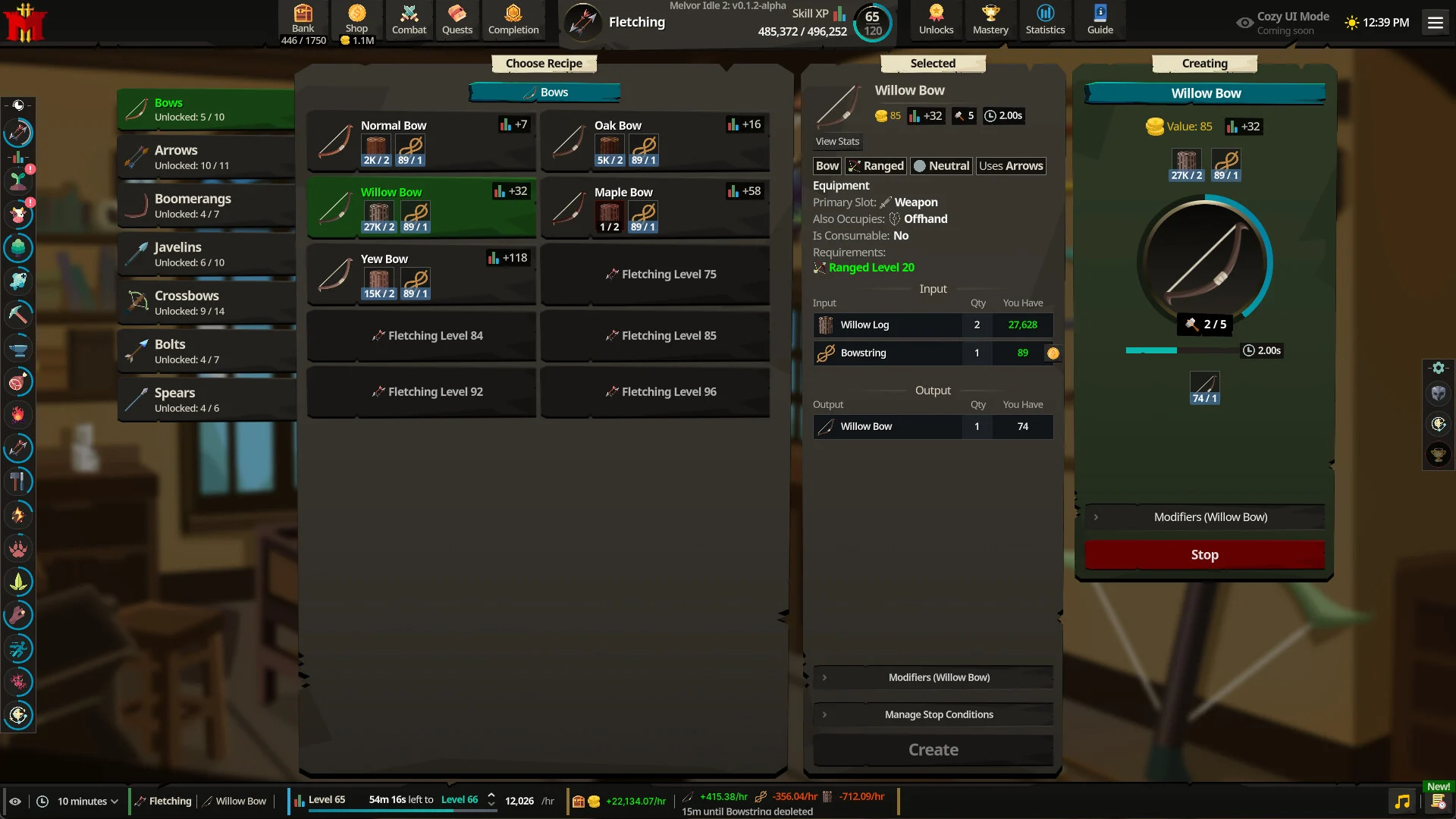

The selected Willow Bow recipe shows two Willow Logs and one Bowstring. The item panel identifies arrows as ammunition and Ranged level 20 as an equipment requirement. This does not establish the Fletching unlock level or the recipe in a later build.
Read the Willow Bow entry →Official Steam media · Alpha v0.1.2
Combat: read the enemy and area together
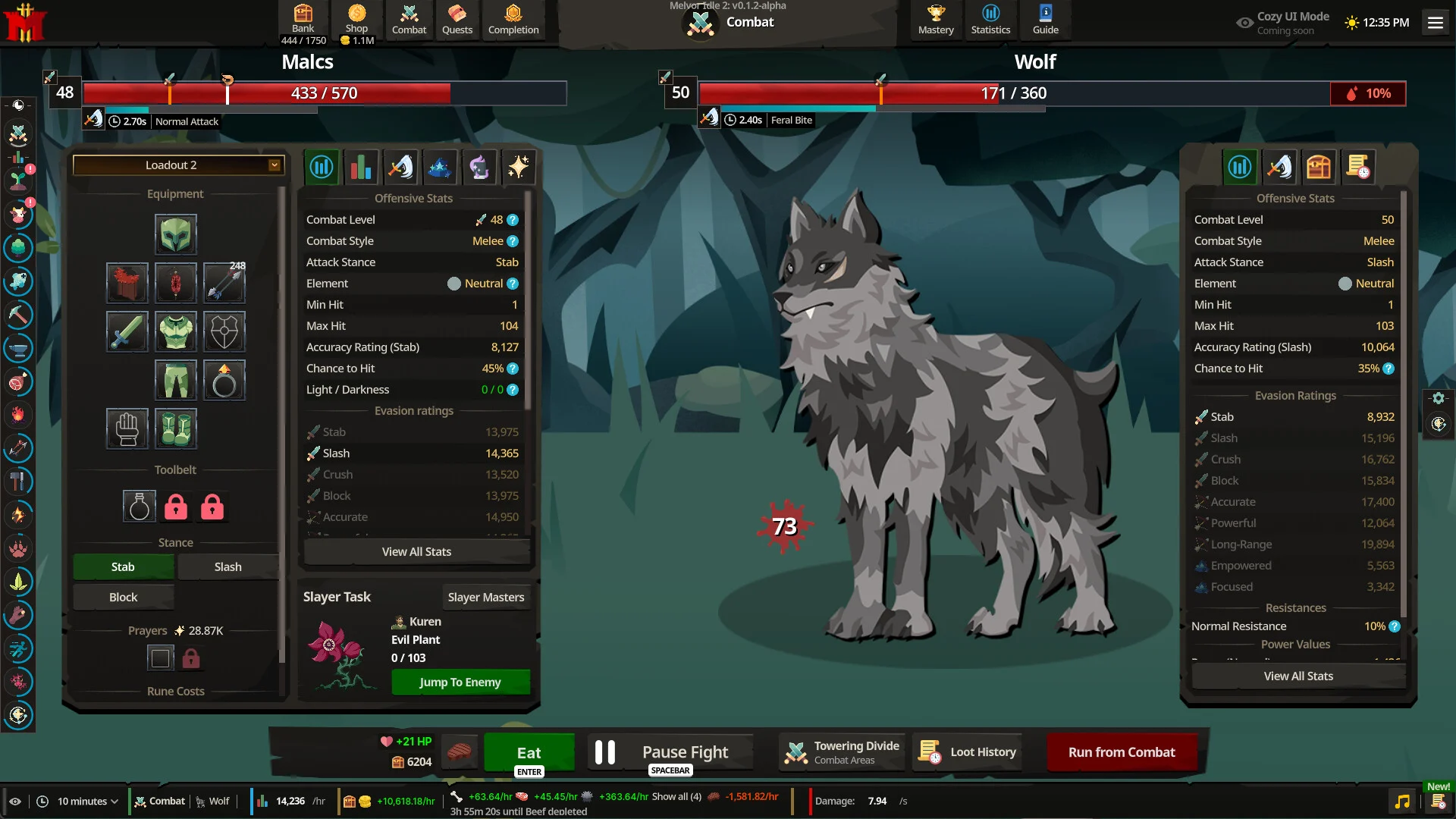

Wolf is the active enemy, with Feral Bite shown in the attack panel. Towering Divide appears in the area selector. The player's accuracy, damage and partially depleted enemy health are session-specific; they should not be copied into a current monster stat table.
Read the Wolf evidence note →Demo footage / independent creator
Watch the monster selector in motion
Ken Cikas’s First Impressions & Complaints | Melvor Idle 2 shows the demo combat interface. Around 43:14, the selector displays Golbin Scout and Mind Golbin, including their health, combat styles and elements. It provides a later-build comparison with the older official combat image above.
Watch the demo combat segment at 43:14 on YouTube ↗
The video opens only when you choose to watch it. No YouTube player or video download is loaded with this page.